



Adding other LCPH resource calendars to yours

Sep 21, 2022
 14
14
Adding a resource calendar to you calendar
If you use a particular resource often, you may want to add it to your quick list in your calendar view so that you can easily check availability.
Here's how:
- In the calendar view next to “Other Calendars” (bottom left) click the “+”
- Click on “Browse resources”
- Check the box for the resources you want to have added to your calendar view.
- Click the “<-“ right arrow in the top left corner when done adding your resources.
That resource will now appear in your "Other Calendars: list so that you can easily check for availability without having to go through scheduling a meeting!
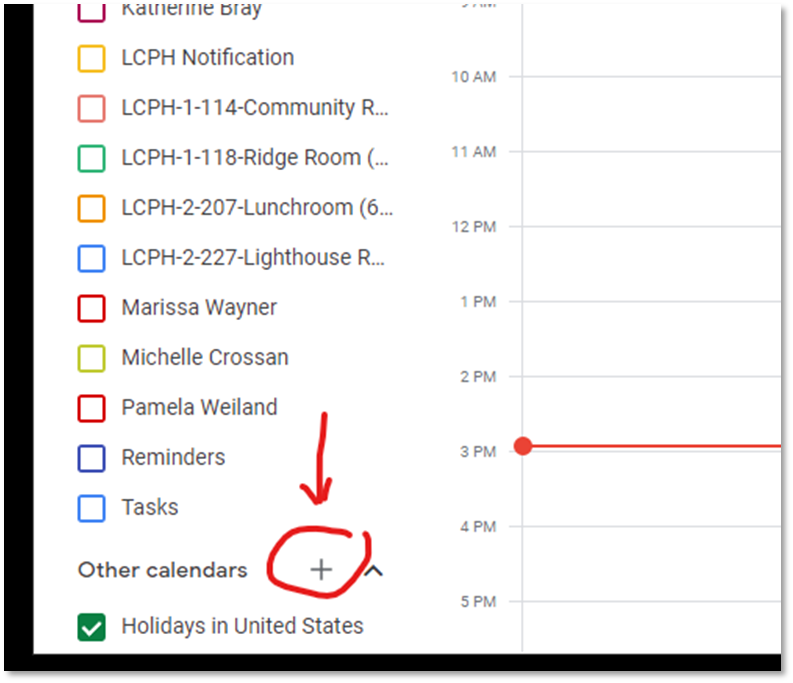
Figure: add calendar "+" button
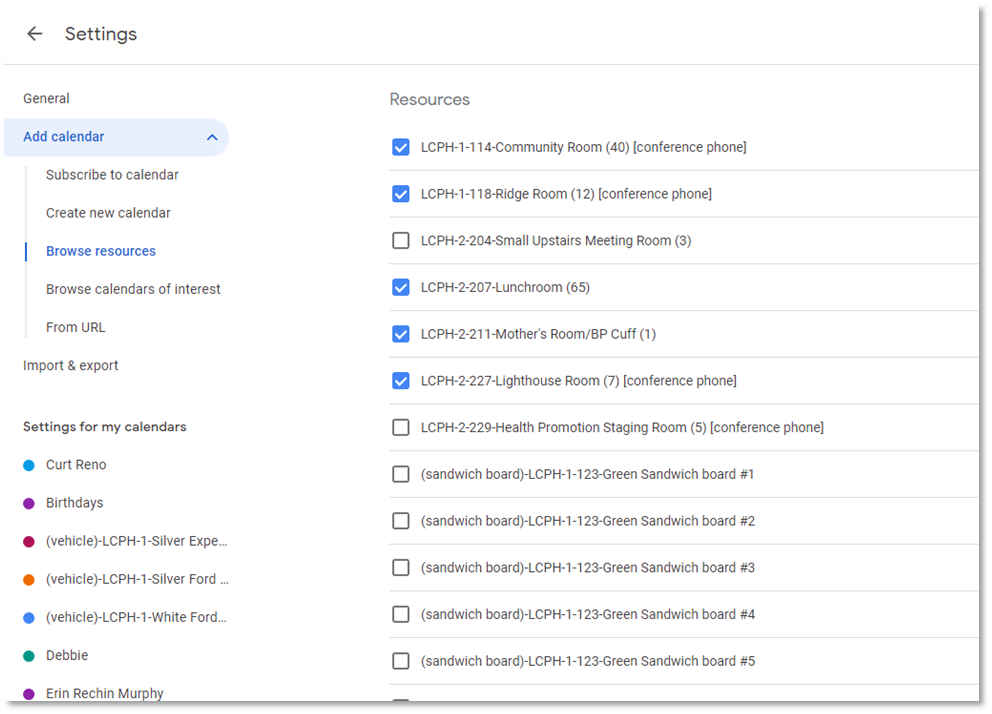
Figure: Browse resource screen, click on the resources you would like in calendar list

