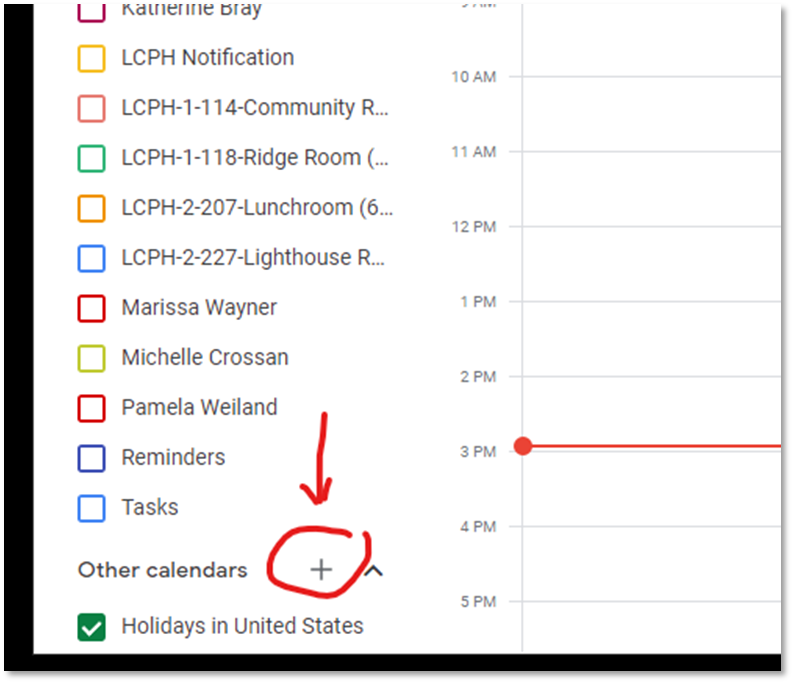


Adding other LCPH staff calendars to yours.

Sep 21, 2022
 20
20
Adding other LCPH staff calendars to your calendar.
- First, open up your calendar.
- Then add other calendars to your list by clicking the "+" next to "Other Calendars", then select "Subscribe to calendar".
- In the "Add calendar" text box, start typing the name of the LCPH calendar you are looking for.